Video Tools
The Best AI Video Generator Stack for Short-Form Creators
Find the best ai video generator for short form creators by workflow, rights, captions, credits, and short-form publishing fit.
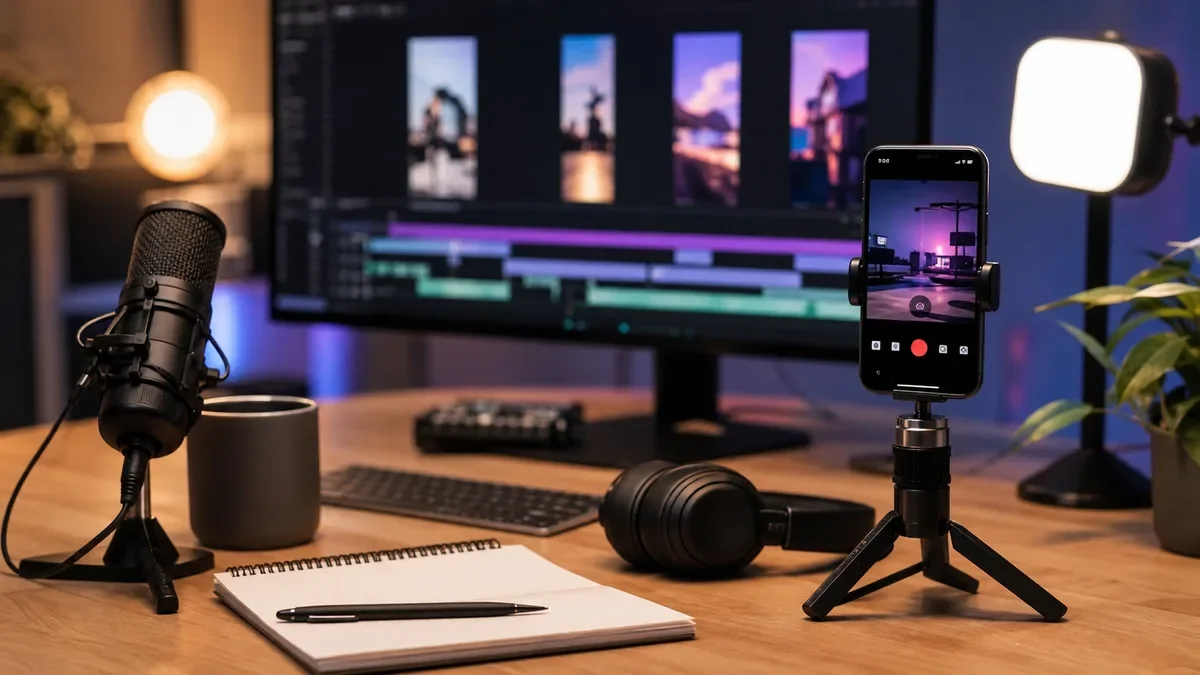
If you are searching for the best ai video generator for short form creators, the real answer is not one magic app. Short-form work moves too fast for that. You need the tool that matches your format: prompt-to-video, avatar, faceless explainer, product demo, podcast clip, or cinematic B-roll.
Think about the job before the tool. A creator posting three TikToks a day needs a different setup from someone making polished YouTube Shorts from a weekly podcast or course lesson.
| What you see | Likely cause | First move |
|---|---|---|
| The clip looks generic after the first second | The prompt asks for a topic, not a scene or hook | Write the first shot, movement, and viewer payoff before generating |
| The AI video looks good but does not fit TikTok or Reels | The generator is built for cinematic tests, not social pacing | Use it for B-roll, then edit rhythm and captions elsewhere |
| Faceless videos feel spammy | Stock visuals, AI voice, and script all sound detached | Keep a human opinion, original angle, or real product context in the script |
| Every version takes too long to fix | The tool is powerful but weak for batch production | Separate ideation, generation, editing, captions, and publishing roles |
| You are unsure whether to label AI content | The clip includes realistic synthetic people, places, or events | Check the platform disclosure rule before upload |
best ai video generator for short form creators: the fit test
Start with the output you publish most often. If you need quick social clips from a short prompt, Canva and InVideo-style tools make more sense than a cinematic model. If you need mood, movement, product shots, or surreal B-roll, Runway, Pika, Luma, and similar generative video tools usually give you more visual range, but they still need editing.
Here is the practical split: social video makers are better at speed, templates, aspect ratios, captions, and finished-package convenience. Generative video models are better at new shots, motion experiments, visual concepts, and B-roll that did not exist before.
Best picks by creator workflow
For fast prompt-to-short workflows: InVideo AI is a strong fit when you want a rough video from a prompt, stock-style visuals, voiceover, and a publishable first draft. It is useful for faceless explainers, simple list videos, and idea testing. Do not treat the first draft as final. Rewrite the opening line, remove filler scenes, and check any factual claims.
For design-first Shorts and Reels: Canva is easier for creators who already think in templates, brand kits, layouts, and quick resizing. Canva's AI Shorts Maker and video tools are better for polished social packaging than for cinematic generation. Use it when brand consistency matters more than raw AI-video novelty.
For cinematic B-roll and visual experiments: Runway and Pika-style tools are better when the visual idea matters: a product transformation, a stylized scene, a moving background, or a shot that would be hard to film. You will probably still edit the final short in CapCut, Premiere, Descript, or another timeline tool.
For repurposing long content: Opus Clip-style tools are not classic video generators, but they can be more valuable if your raw material is podcasts, webinars, streams, or YouTube videos. They find moments, frame clips, and speed up the short-form versioning process.
Choose by format, not by hype
Short-form creators usually fall into a few repeatable formats. Match the tool to the format and the buying decision gets much easier.
- Talking-head creator: Use AI for scripts, captions, B-roll, thumbnails, and title ideas. Keep the face and point of view real.
- Faceless explainer channel: Prioritize prompt-to-video speed, voice rights, stock quality, captions, and fact checking.
- Podcast or interview channel: Start with clip finders before buying a pure generator. Your best clips are already in the footage.
- Product or tutorial creator: Use generated video for transitions, concept shots, and supporting visuals, not for steps that must be accurate.
- Artist or visual storyteller: Choose cinematic generators with stronger motion control, reference-image handling, and iteration tools.
For adjacent planning, pair video generation with AI scriptwriting tools, AI YouTube title generators, and AI social media caption tools only if the content still sounds like you. Generic scripts make generic videos. That part has not changed.
The short-form tool stack that actually works
Most strong creator workflows use more than one app. That may sound annoying, but it prevents you from forcing one tool to do jobs it handles poorly.
- Idea and script: Turn the topic into a hook, beat sheet, and ending. If you need help, use a script tool, then rewrite the first three seconds yourself.
- Generation: Create the main shot, visual sequence, avatar scene, or stock-backed draft.
- Editing: Cut for rhythm. Remove slow intros. Add pattern breaks every few seconds when the format needs it.
- Audio: Clean narration, check music rights, and decide whether synthetic voice disclosure applies.
- Captions and packaging: Add readable captions, thumbnail logic, platform-safe text, and a title that matches the promise.
- Repurposing: Turn winners into variants for Shorts, Reels, TikTok, newsletter embeds, or course teasers.
Use this with a solo creator repurposing workflow if you publish across several channels. Podcast creators should also compare a podcast-to-Reels workflow and an AI podcast clip generator before paying for a standalone video model.
What to check before you pay
Pricing pages can make every plan sound flexible. Look closer. Short-form creators burn through credits quickly because they test hooks, regenerate awkward shots, and export variants for multiple platforms.
Check these points before you upgrade:
- Credit math: How many seconds, generations, voice minutes, stock assets, or exports does one month really buy?
- Commercial rights: Can you use outputs in monetized videos, client work, sponsored posts, and ads?
- Watermarks: Are free exports watermarked, resolution-limited, or restricted by platform?
- Aspect ratios: Does the tool handle 9:16 cleanly, or are you cropping after the fact?
- Caption control: Can you edit words, line breaks, style, and timing without fighting the software?
- Voice and likeness rules: Can you prove you have permission for cloned voices, avatars, or recognizable people?
- Revision speed: Can you regenerate one shot, or do you have to rebuild the whole video?
Honestly, most weak buying decisions come from ignoring revision speed. A tool that creates a decent first draft can still be a bad fit if every fix costs credits and time.
Where AI video can go wrong
Watch for three risks: fake-looking realism, low-originality scripts, and platform disclosure mistakes. The first one hurts retention. The second makes the channel forgettable. The third can create policy problems, especially when realistic synthetic people, events, voices, or places are involved.
YouTube says creators must disclose realistic altered or synthetic content that viewers could mistake for a real person, place, scene, or event. Clearly unrealistic effects and normal production assistance are treated differently, but creators should check the current rule before publishing sensitive or realistic AI material.
If voice is part of your workflow, read the AI voice cloning disclosure on YouTube guide and compare AI dubbing tools for YouTube. For character or voice experiments, an AI voice changer workflow also needs consent and audience trust built in.
Tool recommendations by scenario
| Creator need | Best starting point | Why it fits |
|---|---|---|
| Daily Reels or Shorts from simple prompts | Canva or InVideo-style social video makers | Fast templates, vertical output, and beginner-friendly exports |
| Faceless YouTube Shorts channel | Prompt-to-video plus separate script and voice checks | Speed matters, but originality and disclosure matter more |
| Cinematic visual hooks | Runway, Pika, or similar generative video models | Better for unique shots than finished social packaging |
| Podcast or long-video repurposing | Clip finder before pure video generator | The best material is already inside the long recording |
| Course or tutorial promotion | Template editor plus generated B-roll | Accuracy and clarity beat experimental visuals |
Need more comparison depth? Read Runway vs Pika for creators, AI clip generator for TikTok creators, and Opus Clip alternatives before locking in a monthly plan.
How to test a video generator in 30 minutes
Run a small test before you buy. Pick one real short-form idea, not a fantasy prompt from a demo page. Then score the tool on speed, originality, editability, and upload readiness.
- Write one 80-word script with a clear hook and ending.
- Generate three versions in the same vertical format.
- Measure how long it takes to fix the weakest scene.
- Export once with captions and once without captions.
- Check whether the result needs disclosure, rights review, or manual fact checking.
- Ask whether you would publish it under your own channel name.
That last question matters. If the answer is no, the tool is not ready for your main workflow. It might still be useful for drafts, concepting, or B-roll.
Related creator workflows to connect next
Short-form video works better when the rest of the creator system is not scattered. For visual packaging, compare Canva AI or Adobe Express comparison, AI thumbnail A/B testing tools, and AI thumbnail tools for YouTube.
For broader production planning, connect your shorts workflow to an AI content calendar generator, an AI newsletter repurposing workflow, and AI B-roll generators for YouTube. Course creators can adapt the same idea with AI course outline generator tools.
If your channel is built around anonymity or synthetic production, the faceless YouTube AI tool stack is the next logical read.
Quick Checklist
- Define your main format before comparing tools: prompt video, avatar, B-roll, clip repurposing, or template social video.
- Test the same script in every shortlisted app.
- Check 9:16 output, caption editing, watermark rules, and export quality.
- Calculate credits based on revisions, not just final exports.
- Review commercial use, voice, likeness, and stock-media terms.
- Decide where human editing stays in the workflow.
- Check platform disclosure rules before posting realistic synthetic content.
Bottom line
The best AI video generator stack for short-form creators is usually a combination: one tool for fast drafts or generated shots, one editor for pacing and captions, and one workflow for repurposing winners. Choose the app that saves time without making your channel sound interchangeable.
Start with one real short, test it hard, and keep the tool only if the final version is something you would actually publish. That is the cleanest filter.
Frequently Asked Questions
what is the best ai video generator for short form creators?
For most creators, the best choice depends on the job. Canva and InVideo-style tools fit fast social drafts, while Runway or Pika-style generators fit cinematic B-roll and visual experiments. Podcast creators may get better results from clip generators first.
can ai make youtube shorts automatically?
Yes, some tools can turn prompts, scripts, or long videos into vertical shorts. You should still edit the hook, captions, pacing, facts, and disclosure settings before publishing.
is runway or pika better for short videos?
Runway and Pika are better judged by your exact style than by a universal winner. Test the same prompt in both, then compare motion quality, shot control, revision speed, and how much editing the result needs.
are ai generated shorts monetized on youtube?
AI-assisted videos can be monetized when they follow YouTube policies, but low-effort, misleading, reused, or undisclosed synthetic content can create problems. Review YouTube's current disclosure and monetization guidance before relying on AI at scale.
do ai video generators include commercial rights?
Not always. Check each plan's terms for commercial use, stock assets, music, voices, avatars, model outputs, and client work. Free plans often have more restrictions than paid plans.
Official sources: AI YouTube Shorts Maker · How we're helping creators disclose altered or synthetic content. Check current program pages before applying.