Creator Workflows
AI Content Calendar Generator for Creators: Plan Without Sounding Automated
Use an ai content calendar generator for creators to plan posts, repurpose ideas, keep disclosure notes, and avoid generic output.
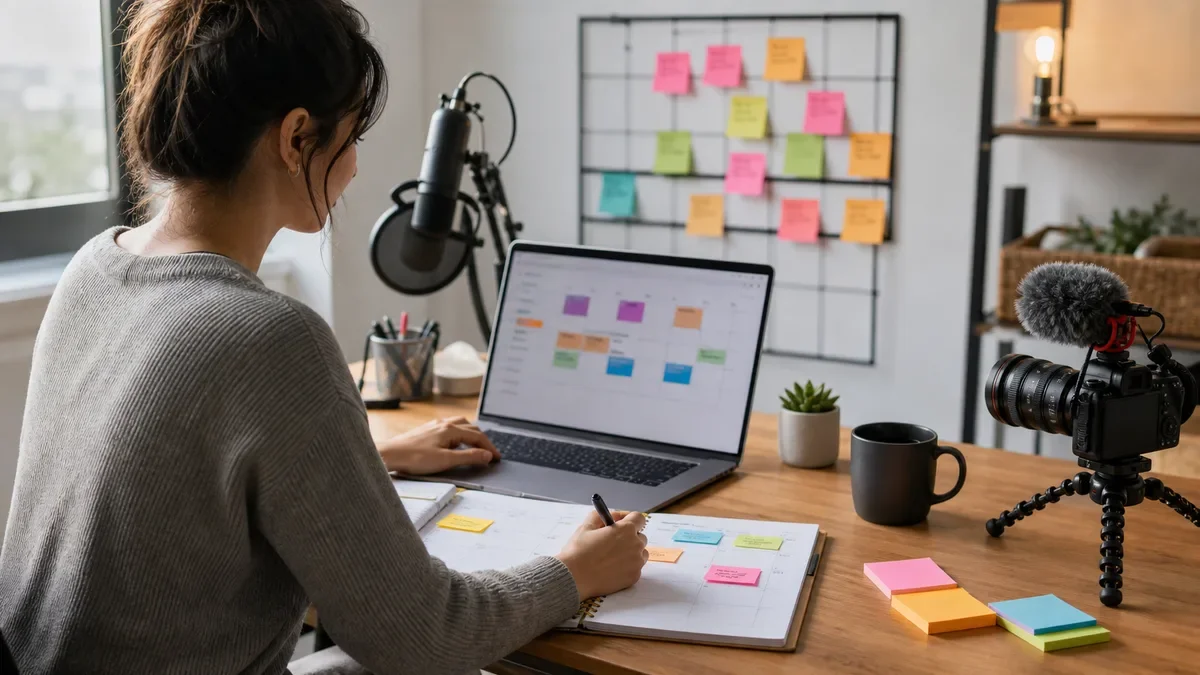
An ai content calendar generator for creators can turn scattered ideas into a publishable plan, but the calendar is only useful if it still sounds like you. The goal is not to fill every day with generic posts. The goal is to choose the right ideas, adapt them by channel, and keep a review step before anything goes live.
Use AI for structure. Keep taste, timing, and audience judgment in human hands.
| What you see | Likely cause | First move |
|---|---|---|
| Every post sounds the same | The prompt asks for volume before angle | Start with pillars and point of view |
| The calendar looks full but weak | No audience question behind each post | Attach one reader or viewer problem to every idea |
| Videos, emails, and captions repeat | The same draft is copied across channels | Rewrite each idea for the format |
| AI content feels risky | No review or disclosure notes | Add a check for claims, likeness, and synthetic media |
What a useful creator calendar should do
Estimated time: 30 minutes. A good AI calendar starts with your content pillars, not a blank request for "30 ideas." Pillars keep the tool pointed toward your actual audience: tutorials, opinions, product reviews, behind-the-scenes posts, personal stories, launches, and community questions.
Ask the tool to label each idea by intent. Is it meant to teach, build trust, start a conversation, sell softly, or repurpose something that already worked?
How to use an AI content calendar generator for creators
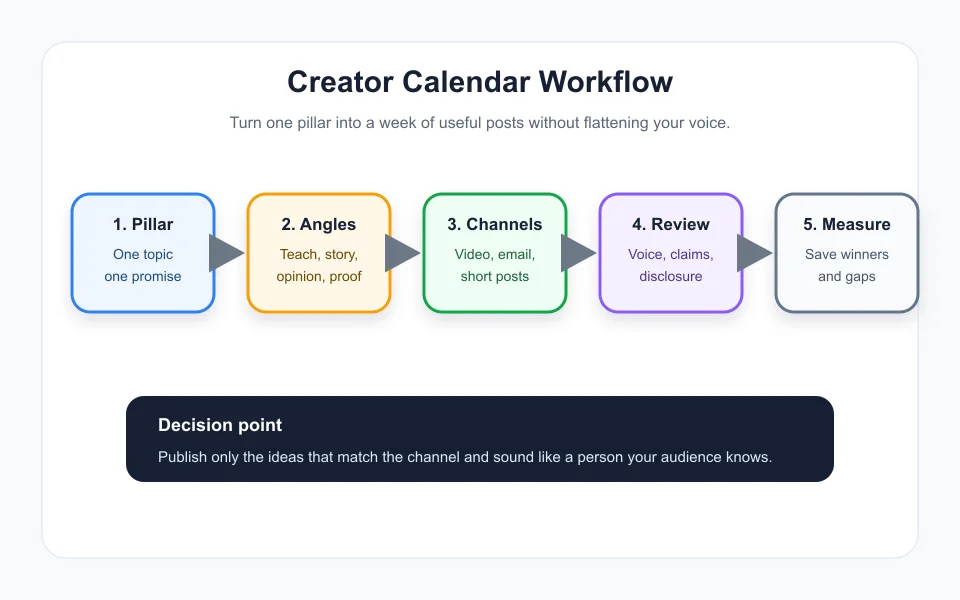
Estimated time: 45 minutes. Start with a short brief: your niche, audience level, main offer, posting channels, publishing frequency, and topics you do not want to repeat. Then ask for a one-week draft before asking for a month.
Review the week like an editor. Cut weak ideas, combine duplicates, and mark the pieces that need research, recording, design, or sponsor approval.
Build from pillars, not random prompts
Estimated time: 25 minutes. Give the generator three to five pillars. A finance creator might use budgeting, income experiments, debt, tools, and creator income. A video creator might use editing workflow, camera setup, audience growth, sponsorships, and case studies.
Next, ask for four angles per pillar: one tutorial, one myth, one personal lesson, and one comparison. That small structure creates variety without turning the calendar into noise.
Match each idea to the channel
Estimated time: 30 minutes. A good YouTube title is not automatically a good newsletter subject line. A short-form hook is not automatically a strong blog section. Ask AI to adapt each idea by channel, then review the output for format fit.
For video planning, connect your calendar to an AI script generator for YouTube videos and an AI thumbnail generator for YouTube. For email, pair it with an AI newsletter repurposing workflow.
Use repurposing without repeating yourself
Estimated time: 40 minutes. Repurposing works when each version has a job. A long video can become a short clip, a newsletter section, a carousel, a thread, and a caption, but each one should answer a slightly different audience need.
Use an AI Shorts generator from long video for clipping ideas, then write captions with an AI caption generator for Instagram Reels. The calendar should show the relationship between assets, not pretend every post was born from scratch.
Review before scheduling
Estimated time: 20 minutes. Add a review column for voice, claims, disclosure, sponsor conflicts, and asset readiness. If the post includes synthetic voice, realistic generated visuals, or altered footage, add the disclosure decision before upload.
Creators comparing stacks can use the best AI tools for YouTube creators guide or the list of best free AI tools for content creators to keep the workflow lean.
Quick Checklist
- Define three to five content pillars before asking for ideas.
- Ask for a one-week test calendar before a full month.
- Label each idea by channel, audience intent, and asset need.
- Rewrite channel-specific posts instead of copying one draft everywhere.
- Add review notes for claims, sponsors, synthetic media, and disclosures.
- Measure what earns saves, replies, clicks, or watch time.
- Feed winning posts back into your next calendar prompt.
AI can make planning less chaotic, but it should not become your taste. Use it to organize the week, then protect the voice and judgment your audience came for.
Frequently Asked Questions
what is the best ai content calendar generator for creators
The best choice depends on your channels, review process, and whether the tool can adapt ideas without flattening your voice. A simple planner plus AI writing support often beats an expensive stack.
can ai make a monthly content calendar
Yes. AI can draft a monthly calendar from pillars, launches, and audience questions. Review timing, claims, disclosure notes, and platform fit before scheduling.
how do creators use ai for content planning
Creators use AI to cluster ideas, repurpose winning content, draft captions, plan cadence, and identify gaps. The strongest workflow still has a human review gate.
should creators disclose ai generated content
Disclosure depends on the platform and content type. Check platform rules when AI creates or alters realistic media, voice, likeness, events, or scenes.
how many posts should a creator plan at once
Plan one to two weeks in detail and one month at a higher level. That balance gives you structure while leaving room for fresh audience feedback.
Official sources: YouTube AI disclosure requirements · OpenAI tools documentation.