Audio Tools
AI Podcast Clip Generator: Turn Long Episodes Into Shorts Without Losing Context
Choose an ai podcast clip generator that finds strong moments, preserves context, adds captions, and keeps creator review in the workflow.
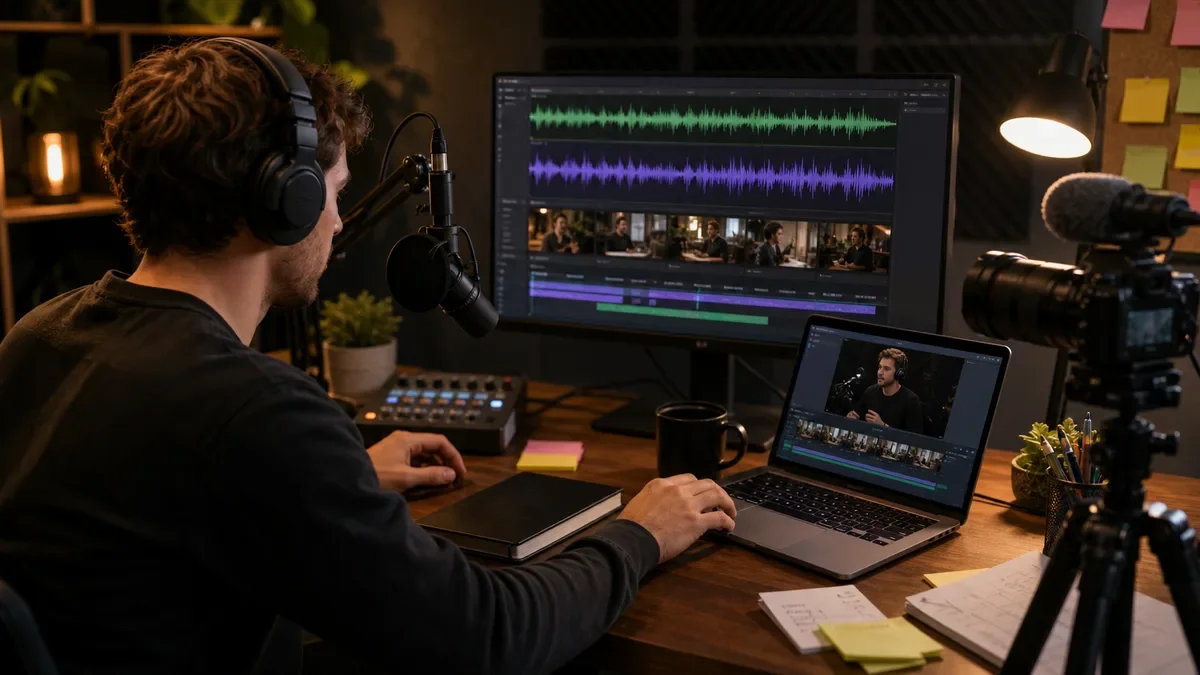
An ai podcast clip generator can turn a one-hour conversation into short vertical videos, but the tool is only useful if it protects the meaning of the episode. A clip that grabs attention and distorts the guest is not a win for a serious creator.
The smart way to use an ai podcast clip generator is to let it find candidate moments, create captions, suggest hooks, and export formats while the creator still approves context, accuracy, and platform fit.
This guide focuses on creator workflow. It is not only a tool list. It shows what to check before you rely on AI clips for YouTube Shorts, Reels, TikTok, newsletter embeds, and sponsor-friendly social posts.
| What you see | Likely cause | First move |
|---|---|---|
| The clip gets views but feels misleading | The hook was separated from the context | Add a context review step |
| Captions are wrong | AI transcript errors were not checked | Proof the final captions manually |
| Clips all look the same | The template has no format variety | Use different clip types by episode segment |
| Publishing is slow | The review and export steps are manual | Create a repeatable approval checklist |
Choose clips by promise, not only by volume
Most tools can produce a pile of clips. The real question is whether those clips carry a clear promise: a useful tip, a surprising belief, a specific story, a mistake to avoid, or a strong answer to a question your audience already has.
A good ai podcast clip generator should score moments by hook strength, clarity, and completeness. It should not cut a dramatic sentence so tightly that the meaning changes.
If you already repurpose long videos, compare this workflow with an AI shorts generator from long video. Podcast clips often need more transcript judgment because the visual track is usually less dynamic.
Review the transcript before trusting captions
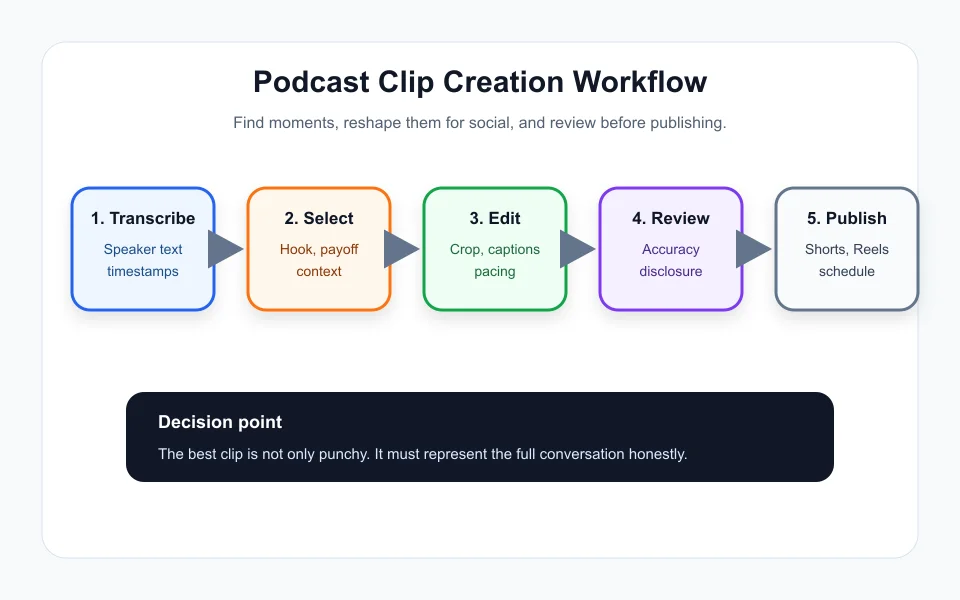
Captions are often the most visible part of the clip. A small transcription mistake can change a tool name, price, legal term, medical term, or guest claim. That is why transcript review matters before export.
An ai podcast clip generator should let you edit words directly, adjust line breaks, and preview caption timing. Captions that look stylish but cover the speaker face or key product demo can reduce retention.
Creators comparing editing workflows can also look at CapCut vs Descript for creators, because the best choice often depends on whether you edit by timeline, transcript, or quick template.
Build several repeatable clip formats
Do not publish every clip in the same format. Use a mix: direct answer, myth versus truth, guest quote, tactical checklist, mistake story, before-and-after lesson, and debate moment. Variety keeps the feed from feeling automated.
A strong ai podcast clip generator should support different aspect ratios, branded captions, title-safe zones, intro-free exports, and batch naming. The output still needs a person to decide which format fits the moment.
For longer planning, connect clips to an AI content calendar generator for creators. One episode can become shorts, quote cards, newsletter bullets, and follow-up scripts without repeating the same angle.
Check synthetic media disclosure rules
If the workflow uses synthetic voice, altered visuals, or generated scenes, disclosure can matter. Platform rules are evolving, so creators should check official help pages before posting AI-altered material.
This is especially important when combining an ai podcast clip generator with voice cleanup, voice cloning, or AI b-roll. A normal captioned excerpt is different from a generated scene that makes it look like a person said or did something they did not.
For YouTube-specific risk, read the related guide on AI voice cloning disclosure on YouTube. The safe workflow is simple: disclose when required, do not impersonate, and keep the original episode context available.
Measure saves and follows, not only views
Views are helpful, but podcast clips should also create trust. Track saves, profile visits, comments with real questions, newsletter clicks, episode listens, and sponsor-friendly engagement. A viral clip that attracts the wrong audience can hurt positioning.
The best ai podcast clip generator setup creates a feedback loop. Mark which hooks create subscribers, which guests create comments, and which formats send listeners to the full episode.
If your channel is growing on YouTube, combine this with broader AI video editing tools for YouTube creators so long-form and short-form editing share the same standards.
Quick Checklist
- Use an ai podcast clip generator to find candidates, not to publish blindly.
- Confirm every clip has a clear promise and enough context.
- Proof transcript accuracy before exporting captions.
- Create several clip formats for each episode.
- Check disclosure rules when synthetic voice or altered visuals are involved.
- Track saves, follows, episode clicks, and sponsor-relevant engagement.
- Keep the full episode link available when a clip discusses serious claims.
Bottom Line
An ai podcast clip generator is strongest when it works like a production assistant. It finds moments and speeds up editing, while the creator protects context, captions, disclosure, and audience trust.
Frequently Asked Questions
What does an ai podcast clip generator do?
It analyzes a podcast episode, finds promising moments, creates short clips, adds captions, and exports social-ready video files.
Can AI pick the best podcast clips automatically?
AI can suggest strong candidates, but a creator should review context, accuracy, guest meaning, and brand fit before publishing.
Should every podcast episode become Shorts?
Not always. Episodes with clear lessons, strong opinions, stories, or tactical answers usually make better short clips.
Do AI podcast clips need disclosure?
Normal edited clips usually do not need AI disclosure, but synthetic voice, altered visuals, or realistic generated content may require platform-specific disclosure.
What should I measure after posting clips?
Track retention, saves, follows, comments, episode clicks, newsletter clicks, and sponsor-relevant engagement instead of relying only on view count.
Official sources: YouTube Help: Create Shorts · YouTube Help: Disclose altered or synthetic content. Check current program pages before applying.