Image Tools
How to Choose AI Thumbnail AB Testing Tools That Improve Clicks
Choose ai thumbnail ab testing tools for YouTube with a workflow for native tests, third-party metrics, AI variants, and better clicks.
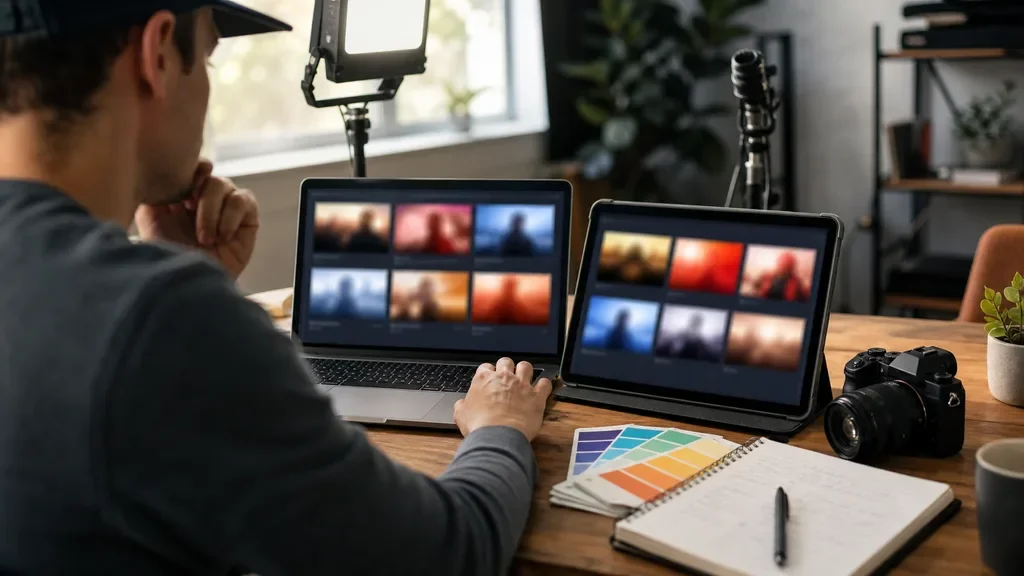
ai thumbnail ab testing tools are useful only when they test a real viewer decision, not when they shuffle tiny color changes and call the result data. For YouTube creators, the right setup depends on whether you need native YouTube testing, broader third-party metrics, or a faster design-and-test workflow for a repeatable publishing schedule.
Start with the problem you are trying to solve. A low click-through rate can mean the concept is weak, the promise is unclear, the face or product is too small on mobile, or the wrong audience is seeing the video. A good test tool helps you separate those problems instead of guessing.
| What you see | Likely cause | First move |
|---|---|---|
| High impressions, low CTR | The thumbnail promise is not sharp enough | Test a clearer outcome or stronger contrast |
| CTR rises, watch time drops | The thumbnail may be overpromising | Match the image to the actual payoff in the video |
| No clear winner after a test | Variants are too similar or impressions are thin | Test bigger creative differences on an older video |
| Mobile viewers do not click | Text, face, or product detail is too small | Preview at phone size before running the test |
| New thumbnail wins on search but not browse | Traffic sources have different intent | Review results by traffic source before copying the pattern |
How ai thumbnail ab testing tools should fit your workflow
Pick the tool after you know the decision you need. YouTube Studio is the cleanest place to test titles and thumbnails against real YouTube viewers because it runs inside the platform and judges winners by watch-time share. Third-party tools can still be useful when you want extra metrics, historical testing routines, or workflow features around thumbnail production.
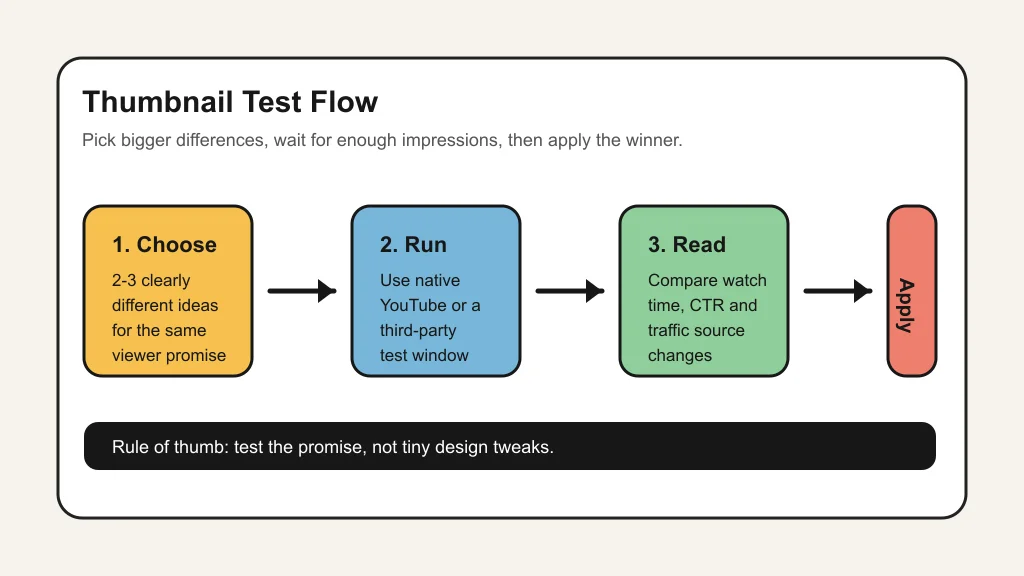
YouTube's native A/B testing lets eligible creators test up to three titles and thumbnails from desktop YouTube Studio. You can test title only, thumbnail only, or title and thumbnail together, and YouTube says tests may take a few days or up to two weeks depending on impressions and other factors.
That distinction matters. YouTube says its own winner is based on watch-time share, while many third-party tests can emphasize click-through rate or run tests sequentially. Neither approach is automatically wrong. They answer different questions.
Native YouTube testing versus third-party platforms
Use native YouTube testing when the video is already on YouTube, the channel has enough impressions, and you want the least distorted read on viewer behavior. It is especially useful for older videos with steady traffic because the test does not have to fight the noise of a brand-new upload.
Use a third-party option such as TubeBuddy when you want a broader testing workspace around thumbnails, titles, tags, descriptions, or traffic-source analysis. TubeBuddy describes its A/B testing around metrics such as click-through rate, engagement, traffic sources, and watch time, and says its declared winners target 95 percent statistical significance.
That extra detail can be helpful for creators who run repeatable series. A gaming channel, tutorial channel, or product-review channel may want to compare patterns over time, not just crown one winner on one upload.
What to test first
Test the viewer promise before you test decoration. Big differences teach you more: result versus curiosity, face versus product, before-and-after versus final outcome, or plain language versus a bold claim.
Small changes are better later. Once you know the angle that pulls the right viewers, then test color, cropping, facial expression, text length, and background cleanup. That order keeps you from spending a week proving that two nearly identical thumbnails behave nearly the same.
For AI-assisted thumbnails, separate generation from validation. An AI thumbnail generator guide can help you produce visual directions quickly, while a testing tool checks whether real viewers respond. If you need a broader design stack, compare the best AI thumbnail tools for YouTube before paying for a testing subscription.
How to read results without fooling yourself
Look past the winner label. Ask whether the test had enough impressions, whether the variants were meaningfully different, and whether the winning thumbnail brought in viewers who stayed.
Traffic source matters. A search viewer may click a clear how-to thumbnail, while a browse viewer may respond to a stronger visual hook. If your tool exposes traffic-source differences, use them before applying one design rule across every upload.
Also watch timing. New uploads can shift quickly as YouTube finds an audience, and early viewers may already know your channel. Older videos with stable traffic often produce cleaner lessons.
Where AI helps and where it gets in the way
AI is strongest at creating more starting points: alternate crops, cleaner backgrounds, facial expression options, prop layouts, and simple text variations. It is weaker at knowing whether the final promise is honest, whether the video actually pays it off, or whether the thumbnail builds long-term viewer trust.
Creators who already use a production stack can connect thumbnail testing to the rest of the workflow. Planning tools such as an AI content calendar help schedule tests by series. Script tools such as an AI script generator workflow clarify the core promise before design starts. Caption and social tools, including social caption tools and an Instagram Reels caption generator, can reveal alternate hooks worth testing.
Repurposing workflows need their own thumbnail logic. A long-form video, a clip, and a newsletter excerpt may sell the same idea in different ways. That is where a AI Shorts generator workflow, a podcast clip generator, or an newsletter repurposing workflow can feed cleaner test concepts.
Tool selection checklist for creators
Choose native YouTube testing if you mainly want platform-aligned results and you have enough traffic for the feature to finish. Choose a third-party suite if you need broader reporting, repeatable test management, or metadata experiments beyond thumbnails.
Review the surrounding creative stack too. Thumbnail performance can depend on editing pace, b-roll, audio localization, and video promise. Guides on AI B-roll generators, CapCut vs Descript, Descript alternatives, and Runway vs Pika workflow can help you tighten the video before testing the packaging.
If your channel uses AI voices, dubbing, or translated clips, keep disclosure and audience fit in view. Compare an AI dubbing workflow, ElevenLabs alternatives, and voice cloning disclosure checks before you promise something in a thumbnail that the video experience does not support.
Quick Checklist
- Choose one testing goal: CTR, watch time, traffic-source learning, or design validation.
- Use two or three genuinely different thumbnail ideas, not tiny color swaps.
- Preview every option at mobile size before launch.
- Prefer older, stable videos when you need cleaner test results.
- Record the winner, the loser, the traffic source, and the lesson.
- Check whether higher clicks also brought healthy watch time.
- Use free AI creator tools for early variant work, then pay only when testing volume justifies it.
Good testing is not about finding a magic thumbnail. It is about building a repeatable feedback loop: create stronger options, expose them to the right viewers, read the right metric, and feed the lesson into the next upload. That is where AI thumbnail ab testing tools earn their place in a creator workflow.
For adjacent creator stacks, thumbnail decisions often connect with Opus Clip alternatives, AI tools for newsletter creators, and the broader AI image generator rights guide. Better inputs make cleaner tests.
Official sources: YouTube Help: A/B test titles and thumbnails · TubeBuddy: YouTube Thumbnail A/B Testing Tool.
Frequently Asked Questions
what are ai thumbnail ab testing tools?
They are tools that help creators create, compare, or measure different YouTube thumbnail versions. Some focus on generating thumbnail ideas, while others run tests against real viewer behavior.
does YouTube have free thumbnail A/B testing?
Yes, YouTube has native title and thumbnail A/B testing for eligible creators in YouTube Studio on desktop. Availability depends on account features, video type, and content restrictions.
is CTR or watch time better for thumbnail tests?
CTR tells you whether people clicked. Watch time tells you whether the click matched the video. For long-term channel health, treat both as part of the same decision.
how many thumbnails should I test at once?
Two or three is usually enough. YouTube's native tool supports up to three options, and bigger differences between options are more useful than nearly identical designs.
can AI thumbnails hurt YouTube performance?
Yes, if they look misleading, too generic, or disconnected from the video. AI can speed up ideation, but the final image still needs a clear and honest viewer promise.