Tool Reviews
Canva AI or Adobe Express: Which Creator Workflow Wins?
Compare canva ai vs adobe express for creators by workflow, AI limits, video needs, templates, and Adobe handoff before you pick.
If you are comparing canva ai vs adobe express for creators, the real question is not which app has the flashiest AI button. It is which one gets your next batch of thumbnails, Reels, newsletters, and sponsor graphics out the door with less cleanup.
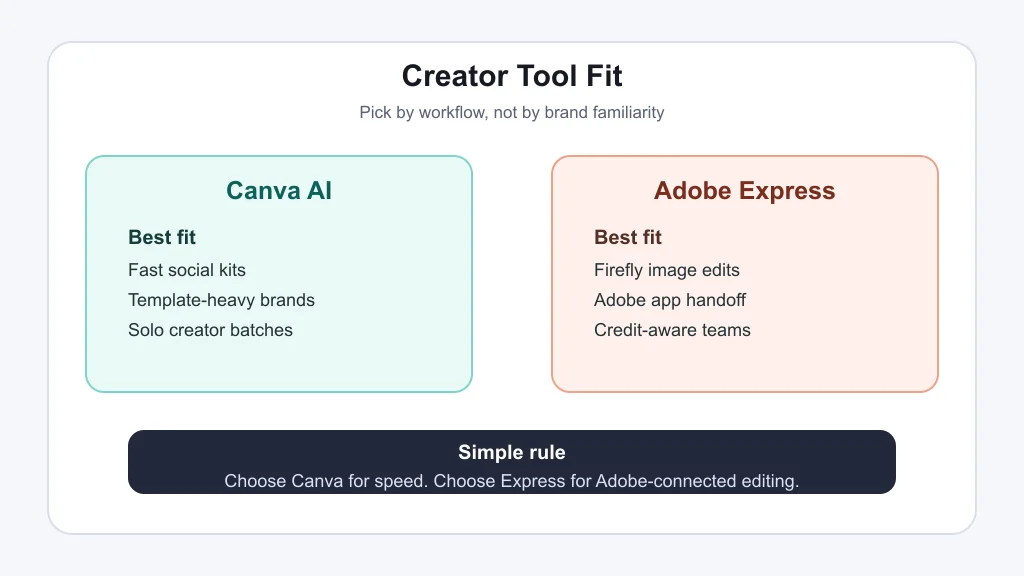
Canva AI is usually the faster pick for template-led social production. Adobe Express is stronger when you want Firefly image tools, Adobe asset handoff, and a workflow that can grow into Photoshop, Illustrator, or Premiere.
| What you see | Likely cause | First move |
|---|---|---|
| You need ten social posts today | Volume matters more than pixel-level control | Start in Canva AI with brand templates |
| Your image edit needs tighter object control | The asset may need Firefly-style generation or removal | Test the same prompt in Adobe Express |
| Your team already uses Adobe files | Handoff friction can cost more than the tool price | Favor Adobe Express for connected work |
| You keep changing formats | Repurposing is the main job | Choose the app with the quickest resize and review flow |
Canva AI vs Adobe Express for Creators: The Short Answer
Pick Canva AI if your creator business depends on repeatable formats: Instagram carousels, YouTube thumbnails, media kits, short promo clips, launch graphics, and newsletter visuals. Canva keeps the process friendly, visual, and fast, which matters when you are the strategist, designer, editor, and publisher in the same afternoon.
Pick Adobe Express if your work already touches Adobe tools or if generative image quality, object editing, and asset polish matter more than speed. Express feels less like a template warehouse and more like the front door to Adobe's creative system.
Where Canva AI Feels Faster
Canva's edge is momentum. You can move from idea to editable design, keep brand colors close, resize for several channels, and hand a non-designer a file they can safely adjust. That is why it works well for solo creators who publish often and do not want every design to become a production event.
Canva is also forgiving. If your workflow includes a content calendar, batch captions, thumbnails, and simple promo assets, it keeps the work in one place. Pair it with AI social media caption tools and you can move from rough idea to publishable campaign without opening five apps.
Speed has a downside, though. Template-heavy work can start to look familiar. You still need taste, restraint, and a final pass for brand voice.
Where Adobe Express Has the Better Ceiling
Adobe Express makes more sense when the asset has to travel. A creator who edits photos in Lightroom, builds graphics in Photoshop, cuts video in Premiere, or hands assets to a designer will usually get more long-term value from the Adobe path.
Adobe also treats AI as part of a larger creative-credit system. That matters if your team generates images, removes objects, creates text effects, or experiments with Firefly features. The canva ai vs adobe express for creators decision is partly about how many AI generations you expect to burn through each month.
Creators making faceless channels, course launches, or sponsor campaigns may also care about polish. If your stack includes faceless YouTube video tools, AI B-roll generators, or Runway versus Pika style video testing, Adobe Express can sit closer to the finishing stage.
Pricing and AI Limits Need a Real Check
Do not compare only the monthly sticker price. Canva's official pricing page describes plan-based AI allowances, while Adobe Express pricing lists monthly generative credits for paid plans. Those limits can matter more than a few dollars if you generate many images, presentations, or campaign concepts.
For a light creator workflow, either free tier may be enough to learn the interface. For weekly publishing, canva ai vs adobe express for creators becomes a usage question: how many finished assets do you create, how many prompts do you retry, and who needs access?
How It Fits With the Rest of Your Creator Stack
Design tools rarely work alone. If your bottleneck is planning, start with a solo creator repurposing workflow or a newsletter repurposing workflow before blaming the design app.
If your bottleneck is video, look at an AI clip generator for TikTok creators, a podcast-to-Reels workflow, or an AI podcast clip generator. Canva or Express can make the covers and promos, but they will not fix a weak edit.
If your bottleneck is writing, use AI scriptwriting tools, AI YouTube title tools, or AI course outline generators before you design the final asset. Better inputs make both apps look better.
If visuals are the issue, compare AI thumbnail tools, thumbnail A/B testing tools, and the broader AI image generator landscape. For audio-heavy channels, add AI dubbing tools and voice cloning disclosure checks to the review list.
Creators comparing Opus Clip alternatives or AI tools for newsletter creators should make the design app support the main content engine, not the other way around.
Quick Checklist
- Choose Canva AI if speed, templates, and simple brand consistency matter most.
- Choose Adobe Express if Firefly features and Adobe handoff matter more.
- Run the same real campaign in both tools before paying annually.
- Check current AI allowances or generative credits on official pricing pages.
- Do not let templates replace a clear content strategy.
- Use canva ai vs adobe express for creators as a workflow test, not a brand debate.
Frequently Asked Questions
is canva ai vs adobe express for creators worth comparing?
Yes. They overlap on social graphics, templates, AI image help, and quick publishing assets, but they fit different creator habits. Canva AI favors speed. Adobe Express favors Adobe-connected polish.
is Canva AI better than Adobe Express for YouTube thumbnails?
Canva AI is often faster for thumbnail batches because templates, brand kits, and resize tools are easy to repeat. Adobe Express can be better when you need stronger image editing before the thumbnail layout.
does Adobe Express include Firefly AI?
Adobe Express includes generative AI features powered by Adobe Firefly. Exact access and credit limits depend on the plan, so check Adobe's current pricing page before you build a workflow around it.
which is cheaper Canva AI or Adobe Express?
Sticker price changes by plan, country, billing term, and promotion. Compare the official pricing pages, then factor in AI usage limits, team seats, storage, premium assets, and the other tools you already pay for.
can I use both Canva AI and Adobe Express?
Yes, and many creators should. Use Canva for fast recurring assets, then use Adobe Express when a campaign needs Firefly edits, Adobe Fonts, or closer handoff to other Adobe apps.
Bottom line: canva ai vs adobe express for creators is a workflow call. Choose Canva when publishing speed is the constraint. Choose Adobe Express when editing depth, credits, and Adobe ecosystem fit matter more.