Creator Workflows
How to Turn a Podcast Into Reels With an AI Generator
Choose an ai reel generator from podcast episodes with better hooks, captions, vertical crops, rights checks, and creator-stack fit.
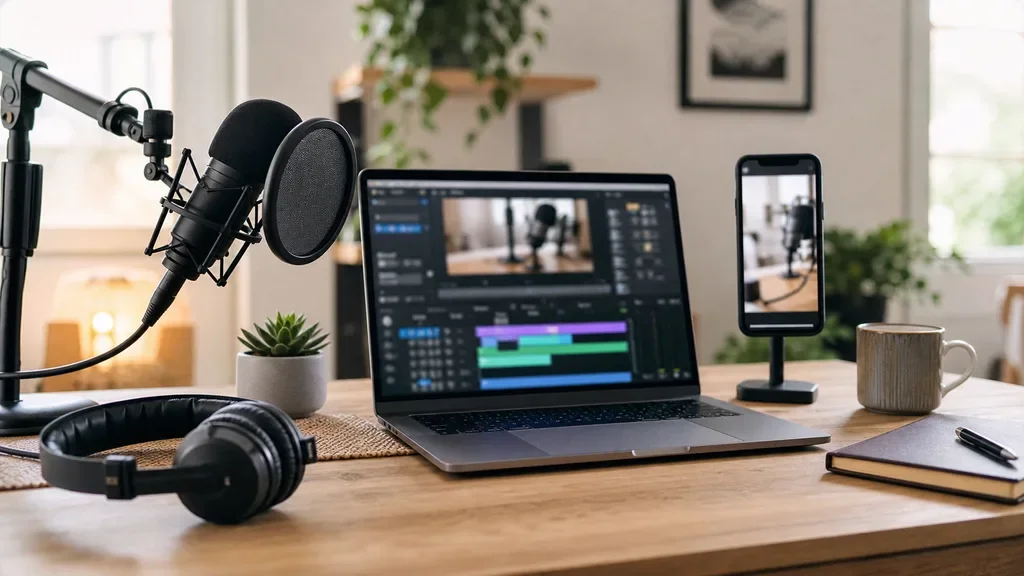
If you are searching for an ai reel generator from podcast, you are probably not trying to make more content for the sake of it. You want the strongest moments from a long episode turned into vertical clips without flattening the guest's point, mangling the captions, or burning an afternoon in the edit timeline.
That is the right job for AI, but only if you treat the tool as an assistant, not the final editor. The best workflow is part machine sorting, part human judgment.
| What you see | Likely cause | First move |
|---|---|---|
| Clips start mid-thought | The AI ranked emotion over context | Add a few seconds before the hook |
| Captions look wrong | Names, acronyms, or cross-talk confused transcription | Correct captions before export |
| Speaker crop feels awkward | The source video was framed for landscape | Use manual crop keyframes |
| Every clip feels similar | The tool chose the same type of sound bite | Pick clips for different viewer questions |
| Views drop after two seconds | The clip opens with setup instead of tension | Rewrite the first caption line |
How an ai reel generator from podcast actually works
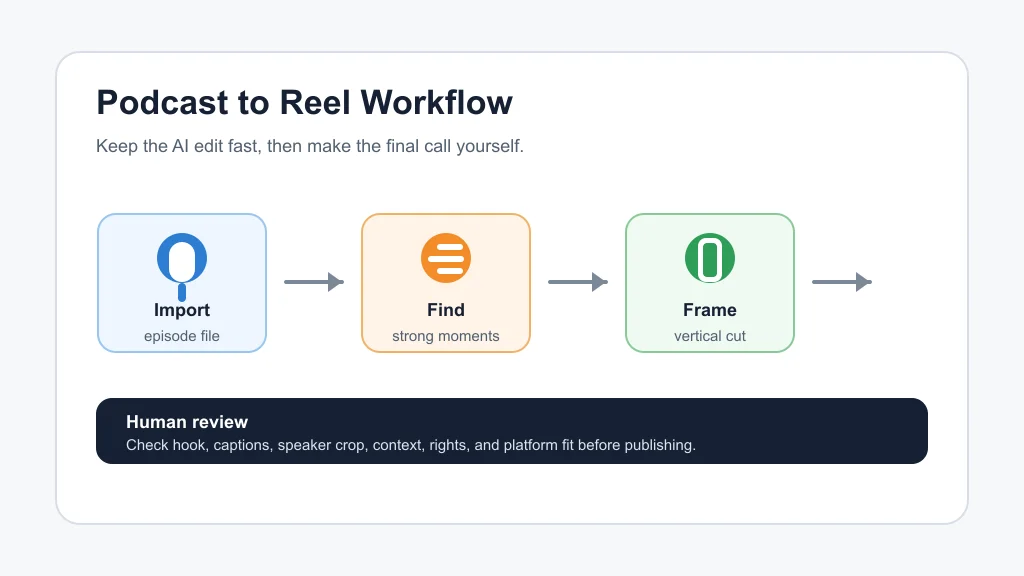
Most podcast-to-Reel tools follow the same basic path. They ingest a long audio or video episode, transcribe it, detect potential highlight moments, reframe the video vertically, add captions, and export short clips for Instagram Reels, TikTok, or YouTube Shorts.
OpusClip, Podsqueeze, Vizard, Flowjin, and similar tools package that process in different ways. Some focus on viral scoring and auto-clipping. Others put more weight on podcast promotion assets, summaries, titles, show notes, and social copy.
Start with the kind of episode you have
Interview episodes usually need context. A guest might deliver a strong line, but the clip falls apart if viewers do not know the question, the problem, or the stakes.
Solo teaching episodes are easier to clip because the structure is already direct. You can often turn one explanation, list, or warning into a clean vertical video.
Panel podcasts are harder. Cross-talk, laughter, and fast speaker changes can confuse captions and crops, so you will want a tool with better transcript editing and manual layout control.
Pick clips by viewer intent, not only by AI score
Most AI clip generators try to rank moments that sound punchy. That helps, but it can also reward loud reactions over useful ideas.
Use the AI shortlist as a first pass. Then ask a better question: would a cold viewer understand the point without hearing the full episode?
For creator workflows, I like sorting clips into three buckets: quick insight, contrarian take, and practical answer. That mix gives your feed more range than posting five nearly identical highlight cuts.
What to check before you export
Captions matter more than the tool leaderboard suggests. If the first caption line is vague, viewers will scroll before the clip has a chance.
Speaker framing is the next check. Vertical crops can accidentally cut off hands, microphones, or a second speaker who becomes relevant halfway through the clip.
Audio cleanup is worth one extra pass too. Podcast audio is usually good, but Reels playback happens on tiny speakers in noisy places. Normalize volume, remove harsh breaths where practical, and avoid background music that fights the speaker.
Tool fit by creator workflow
Choose a clipping tool around the bottleneck you actually have. If you publish video podcasts, look for strong speaker detection, vertical reframing, caption editing, and batch exports.
If your podcast is audio-first, prioritize audiogram-style visuals, transcript accuracy, episode summaries, and easy social copy. A pure video clipping product can still work, but you may spend more time building visual context.
If your show supports a YouTube channel, connect this workflow to your wider stack. A clip can point viewers toward AI podcast clip generator workflows, deeper AI Shorts generator from long video strategy, and even AI B-roll generator planning for long-form edits.
Where the workflow connects to the rest of your creator stack
Podcast clips rarely live alone. They need thumbnails, captions, a posting calendar, and sometimes a companion newsletter or YouTube edit.
For the visual side, compare AI thumbnail tools, use thumbnail A/B testing tools when you are driving traffic to YouTube, and keep a flexible AI image generator available for supporting graphics.
For writing and planning, a AI social media caption tools workflow can turn one clip into platform-specific copy. A content calendar generator helps you space out episode clips instead of dumping them all in one day.
Broader repurposing matters too. A strong episode can feed a newsletter repurposing workflow, support AI tools for newsletter creators, or become lesson material after you shape it with course outline tools.
Rights, voice, and disclosure checks
Be careful with voice and likeness. If the episode includes guests, co-hosts, or licensed clips, the fact that a tool can generate a Reel does not mean you should post every generated asset.
Creators using translation, dubbing, or cloned narration should review AI dubbing tools for YouTube, ElevenLabs alternatives, and AI voice cloning disclosure rules before scaling that workflow.
Honestly, this is where people usually get it wrong. They treat repurposing as a format change, when it is also a rights and trust decision.
When to use a broader editor instead
Dedicated clip generators are fastest when you need lots of short candidates. They are less useful when the episode needs heavy restructuring, visual effects, or a crafted story arc.
For that kind of work, compare Descript alternatives, CapCut vs Descript, and creator video tools such as Runway vs Pika. If you need a hands-off clipping lane but want other options, start with Opus Clip alternatives.
Faceless channels should be especially picky. Pair clipping with a clear faceless YouTube videos workflow so the final short still has visual rhythm.
Quick Checklist
- Upload the cleanest episode file you have, preferably with separate speaker tracks when available.
- Review AI-selected clips for context, not just energy.
- Edit the first caption line so the hook is clear without sound.
- Check vertical speaker framing on a phone-sized preview.
- Fix names, acronyms, and guest references in the transcript.
- Confirm guest, music, voice, and likeness rights before publishing.
- Save the best clip themes for future episode planning.
Official Sources
For current product capabilities, review the official pages for OpusClip's AI podcast clip generator and Podsqueeze's podcast clip maker.
A good podcast-to-Reel workflow should save editing time without taking taste out of the process. Let AI find candidates, then use your judgment to protect context, captions, rights, and the reason someone followed your show in the first place.
Frequently Asked Questions
what is the best ai reel generator from podcast?
The best choice depends on your source format. Video podcasters usually need strong speaker tracking and vertical reframing, while audio-first podcasters may care more about audiograms, summaries, and social captions.
can ai turn a podcast into instagram reels?
Yes. AI clipping tools can transcribe a podcast, find highlight moments, format clips vertically, add captions, and export short videos for Instagram Reels.
how long should podcast reels be?
Most podcast Reels work best when they are short enough to land one idea clearly. A useful range is often 20 to 60 seconds, but the hook and payoff matter more than a fixed length.
do ai podcast clips need manual editing?
Usually, yes. Manual review catches weak hooks, missing context, caption errors, bad crops, and rights issues that automated clipping can miss.
can i use ai clips from guest interviews?
You can if you have the right permission and the clip represents the guest fairly. Be extra careful with cloned voices, translated audio, licensed music, and clips that change the meaning of the original conversation.