Video Tools
Faceless YouTube Videos Need the Right AI Tool Stack
Choose ai faceless video tools for youtube by format, workflow, voice, rights, disclosure, editing needs, and monetization risk.
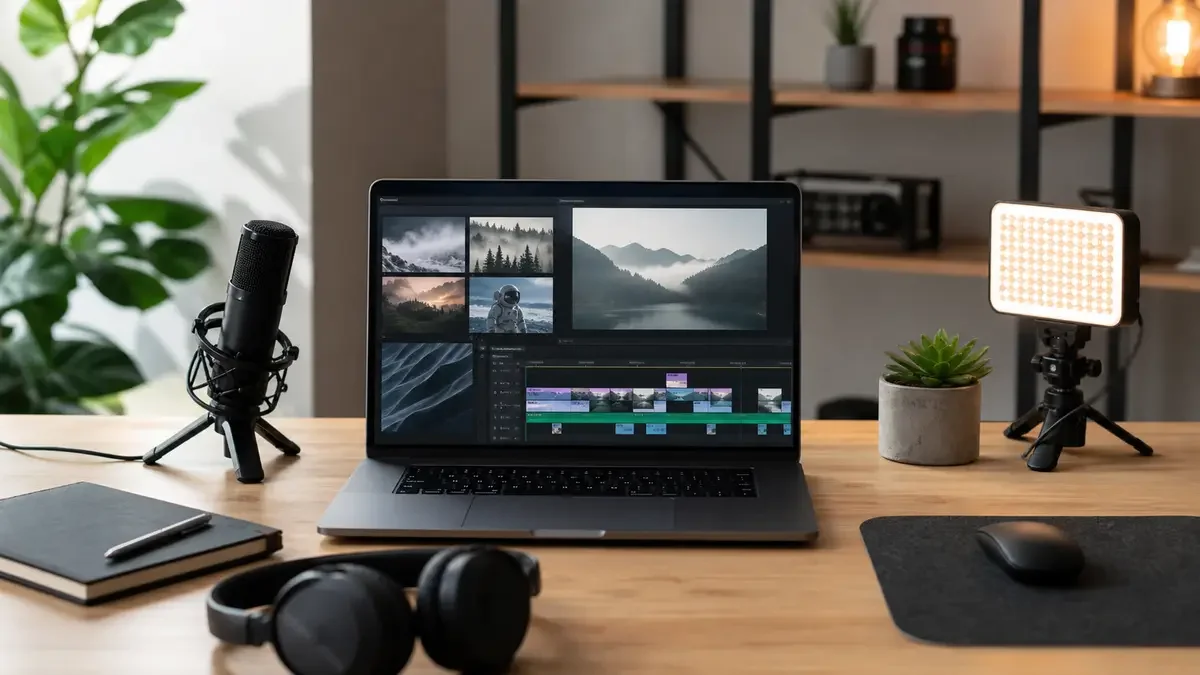
ai faceless video tools for youtube can save a creator hours, but they also make it very easy to publish videos that feel thin, recycled, or risky for monetization. The useful approach is not "find one magic generator." It is building a small tool stack around the exact kind of faceless channel you want to run.
Start by naming the job: scripted explainer, news recap, product demo, podcast clip, Shorts story, or ambient visual essay. Once the format is clear, the tool choice gets much less confusing.
| What you see | Likely cause | First move |
|---|---|---|
| The video looks generic | The tool handled the whole idea with too little direction | Rewrite the hook and add original examples before editing |
| Voice sounds polished but flat | The narration lacks pacing, emphasis, or proof | Break the script into shorter beats and regenerate only weak lines |
| Stock clips feel random | The editor matched keywords, not story moments | Build a shot list before generating or searching for visuals |
| Shorts get clicks but low retention | The first claim is stronger than the payoff | Move the proof or result into the first 10 seconds |
| You worry about monetization | The video may look reused, automated, or synthetic without context | Add original commentary, sources, edits, and disclosure checks |
How ai faceless video tools for youtube should fit the job
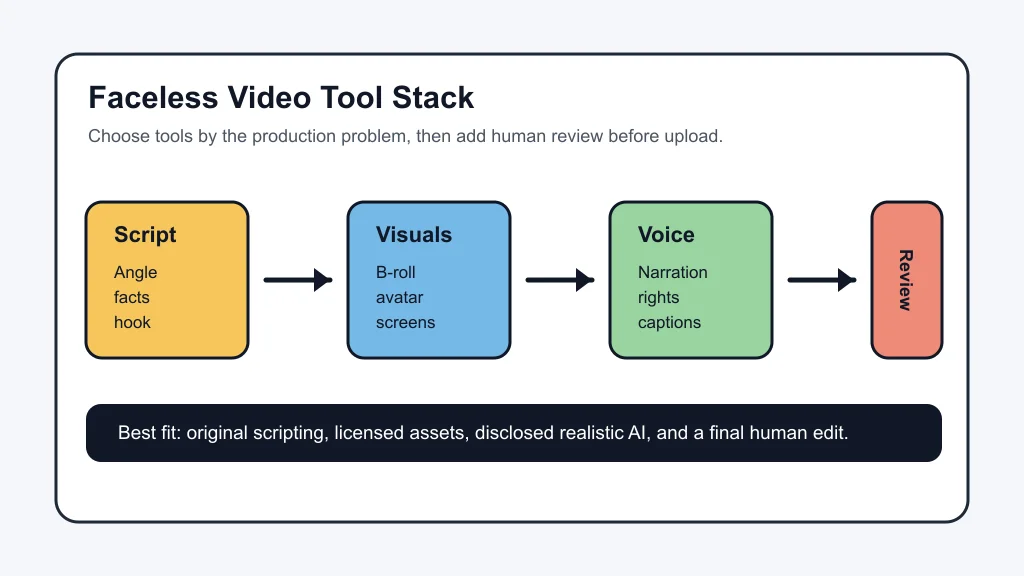
Match the tool to the production bottleneck. If you need a complete draft from a prompt, all-in-one generators such as InVideo-style faceless video makers can help you test ideas quickly. If the channel depends on trust, tutorials, product comparisons, or evergreen education, split the workflow into planning, script, visuals, voice, editing, packaging, and review.
That split sounds slower, but it usually creates better videos. A faceless channel has no host face to carry weak material, so the script, voice, pacing, and visual proof have to work harder.
Pick the stack by channel format
Explainer channels need the strongest writing process. Use a research tool or outline helper, then build the script around claims, examples, and viewer questions. A course outline generator workflow can also help if the channel teaches a topic across a series instead of chasing one-off uploads.
Shorts channels need fast assembly, but speed cannot replace a real hook. Tools that turn prompts, scripts, Reddit-style stories, or long videos into shorts can work when you rewrite the setup, check the facts, and keep captions readable. For long-form repurposing, compare an AI Shorts generator from long video with Opus Clip alternatives before paying for automation volume.
Podcast and interview channels usually need clipping, captions, and supporting visuals more than a full text-to-video system. An AI podcast clip generator can pull candidate moments, while AI B-roll generators for YouTube can add context without showing the host on camera.
Newsletter and research-led channels need a repeatable idea pipeline. Connect an AI newsletter repurposing workflow, AI tools for newsletter creators, and an AI content calendar generator so the video is not built from a blank prompt every time.
Tool categories that matter
Script and research tools
Use AI to outline, compress notes, create examples, and draft alternate openings. Do not let it invent proof. A faceless video with no named source, no original framing, and no specific example can look like content made only to fill a feed.
For creators who also publish captions, threads, or Reels, AI social media caption tools and an AI caption generator for Instagram Reels can turn the same core idea into platform-specific hooks after the video argument is solid.
Visual generation and B-roll tools
Runway, Pika, stock-video editors, screen recording, generated slides, and image-to-video tools all solve different problems. Use cinematic generation when the video needs mood or motion. Use screen capture when the viewer needs proof. Use stock footage only when it supports the sentence being spoken.
If you are deciding between cinematic generators, the Runway vs Pika for creators comparison is a better starting point than a generic ranking. For still images, check the AI image generator rights guide before turning generated art into a repeatable channel asset.
Voice and audio tools
Voice quality matters more on faceless videos because the voice becomes the host. Compare naturalness, editing control, commercial rights, pronunciation tools, and disclosure needs before choosing a subscription.
Creators who localize videos should look at AI dubbing tools for YouTube. If you are comparing narration vendors, the ElevenLabs alternatives for YouTube guide is useful. If cloned or synthetic likeness is part of the plan, run AI voice cloning disclosure checks before upload.
Editing and packaging tools
Editing tools decide whether the video feels human-directed or machine-assembled. Text-based editors are helpful for narration-heavy content. Mobile-first editors are faster for short-form channels. Timeline editors still win when you need precise pacing, visual layering, or heavy cleanup.
Compare CapCut vs Descript if you are choosing between fast social editing and transcript-led editing. If Descript is not the right fit, the Descript alternatives for creators guide breaks down other editing lanes.
Packaging is part of the same system. Faceless channels often need stronger thumbnails because there is no recognizable face to anchor the click. Use an AI thumbnail generator for YouTube, the best AI thumbnail tools for YouTube, and AI thumbnail AB testing tools only after the video promise is clear.
Disclosure, rights, and monetization checks
YouTube's AI disclosure rules focus on realistic AI-generated or meaningfully altered content. That means an AI-written outline or a generated thumbnail is not the same thing as a realistic synthetic scene, fake real-world event, cloned public figure, or AI-generated footage that viewers could mistake for real video.
YouTube also separates disclosure from monetization, but that does not mean every AI-assisted faceless channel is safe. Its monetization policy around reused content still asks whether viewers can tell the work is original and meaningfully different. Minimal changes to material from other sources can put the channel at risk even when copyright claims are not the issue.
Think of the review step as part of the tool stack. Check the script for unsupported claims, confirm asset licenses, listen for voice mistakes, remove fake interface details, and make sure captions do not mislead. A faceless channel can still feel original when the human decisions are visible in the structure.
A practical workflow for a first faceless channel
- Choose one repeatable format. Pick explainers, product demos, narrated list videos, podcast clips, or Shorts stories. Mixing formats too early makes tool testing noisy.
- Write the viewer promise first. State what the viewer will know or feel by the end. If that promise is vague, no video generator will fix it.
- Create the script in passes. Draft the outline, add examples, check facts, then tighten the opening. Do not generate visuals until the script has real shape.
- Build a visual plan. Mark where you need screen proof, generated B-roll, stock footage, screenshots, slides, or motion graphics.
- Generate voice after the script is stable. Regenerating the whole voice track for every rewrite wastes time. Fix the script first.
- Edit for retention. Cut pauses, match visuals to claims, vary shot type, and check mobile readability.
- Package and review. Thumbnail, title, description, disclosure, rights, and upload settings all happen before publish.
A two-tool setup is enough for a serious first test: one writing or planning tool, one editor or faceless video maker, and a clear manual review. Add voice cloning, dubbing, cinematic generation, and thumbnail testing only when the channel format proves it needs them.
Quick Checklist
- Pick the channel format before picking tools.
- Use the exact script to plan visuals, not vague scene prompts.
- Add original commentary, examples, or structure so the video is not just assembled media.
- Confirm stock, voice, image, and music rights before publishing.
- Disclose realistic AI-generated or meaningfully altered content when YouTube requires it.
- Test one workflow for several uploads before switching tools.
- Track retention, comments, and monetization signals, not just output speed.
Faceless channels work best when AI handles repetitive production and the creator still owns the judgment. Use generators for drafts, voices, clips, captions, and visual options, but keep the promise, proof, edit, and disclosure decisions close. That is the difference between a scalable workflow and a channel that feels automated from the first second.
Frequently Asked Questions
what tools make faceless youtube videos with ai
The best stack depends on the channel format. Use an all-in-one generator for fast Shorts, a script and editor workflow for explainers, a voice tool for narration, and a separate review step for originality, rights, and disclosure.
can ai faceless videos be monetized on youtube
They can be monetized when the channel adds original value and follows YouTube Partner Program rules. Minimal edits to reused or automated-looking content can create monetization risk.
do you have to disclose ai videos on youtube
YouTube says creators need to disclose AI-generated or meaningfully altered content when it seems realistic. Basic production assistance, captions, outlines, and clearly unrealistic content are treated differently.
which ai tool makes faceless youtube shorts
Tools such as InVideo, Faceless.video, Pictory-style editors, and clipping tools can create or assemble faceless Shorts. The better question is whether the output has a clear idea, licensed assets, readable captions, and a human edit.
are ai voiceovers allowed on youtube
AI voiceovers are allowed, but creators still need to respect rights, avoid impersonation, and disclose realistic synthetic content when YouTube requires it. Keep proof of voice licenses and edits.
Official sources: YouTube Help: Disclosing use of GenAI content · YouTube Help: Channel monetization policies. Check current program pages before applying.