Video Tools
How Creators Should Choose AI Avatar Video Tools
Compare ai avatar video tools for creators by workflow, rights, editing control, language support, and checks that prevent awkward results.
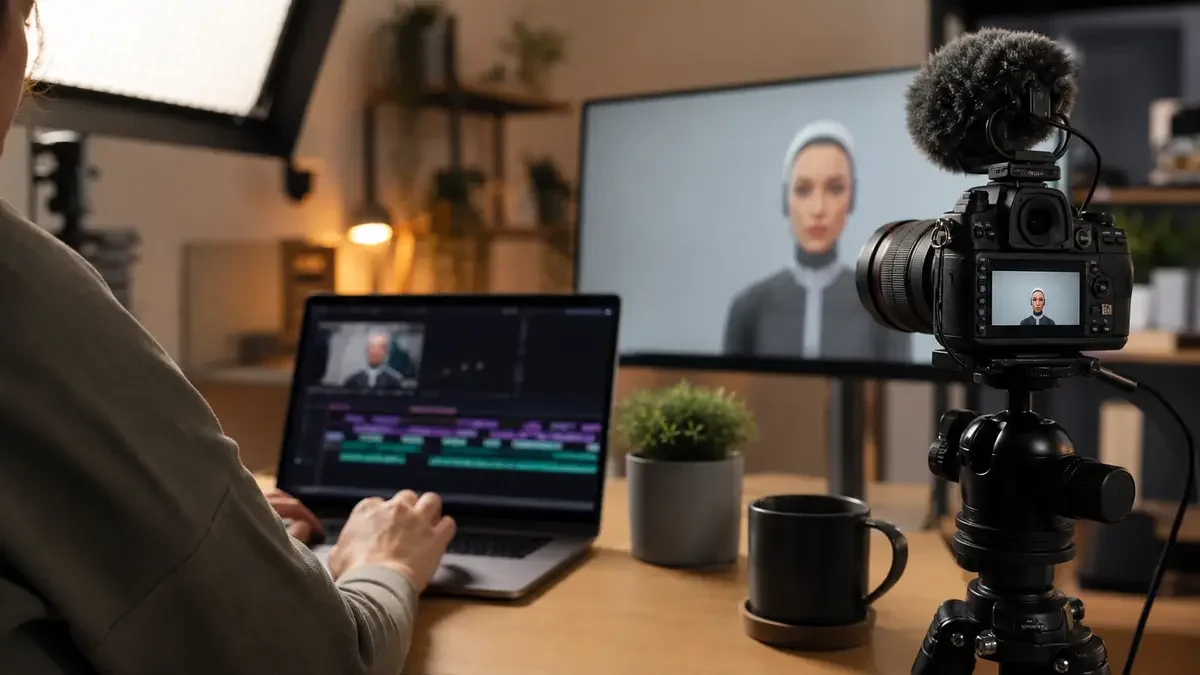
ai avatar video tools for creators can be useful, but only when the avatar solves a real production problem: speed, language coverage, repeatable explainers, or a consistent on-screen host when filming would slow you down.
Start by deciding what the avatar has to do in your workflow. A tool that looks impressive in a demo can still be the wrong pick if the lip sync, script controls, export limits, or consent rules do not match the videos you actually publish.
| What you see | Likely cause | First move |
|---|---|---|
| The avatar looks polished but stiff | Limited gesture control or a stock presenter that does not fit the script | Test a 30-second script with pauses, emphasis, and a natural intro |
| Good demo, weak Shorts output | The tool is built for explainers, not fast social edits | Check vertical export, captions, hook variants, and clip editing |
| The voice sounds close but not quite right | Voice model, accent, or pacing controls are too limited | Run the same paragraph through two voices before buying credits |
| Pricing looks cheap until export | Minute limits, watermark rules, or premium avatars are gated | Price your real monthly output, not one sample video |
| The video may confuse viewers | No clear disclosure or unrealistic presenter context | Add transparent wording in the description or on-screen context where needed |
How to Compare AI Avatar Video Tools for Creators
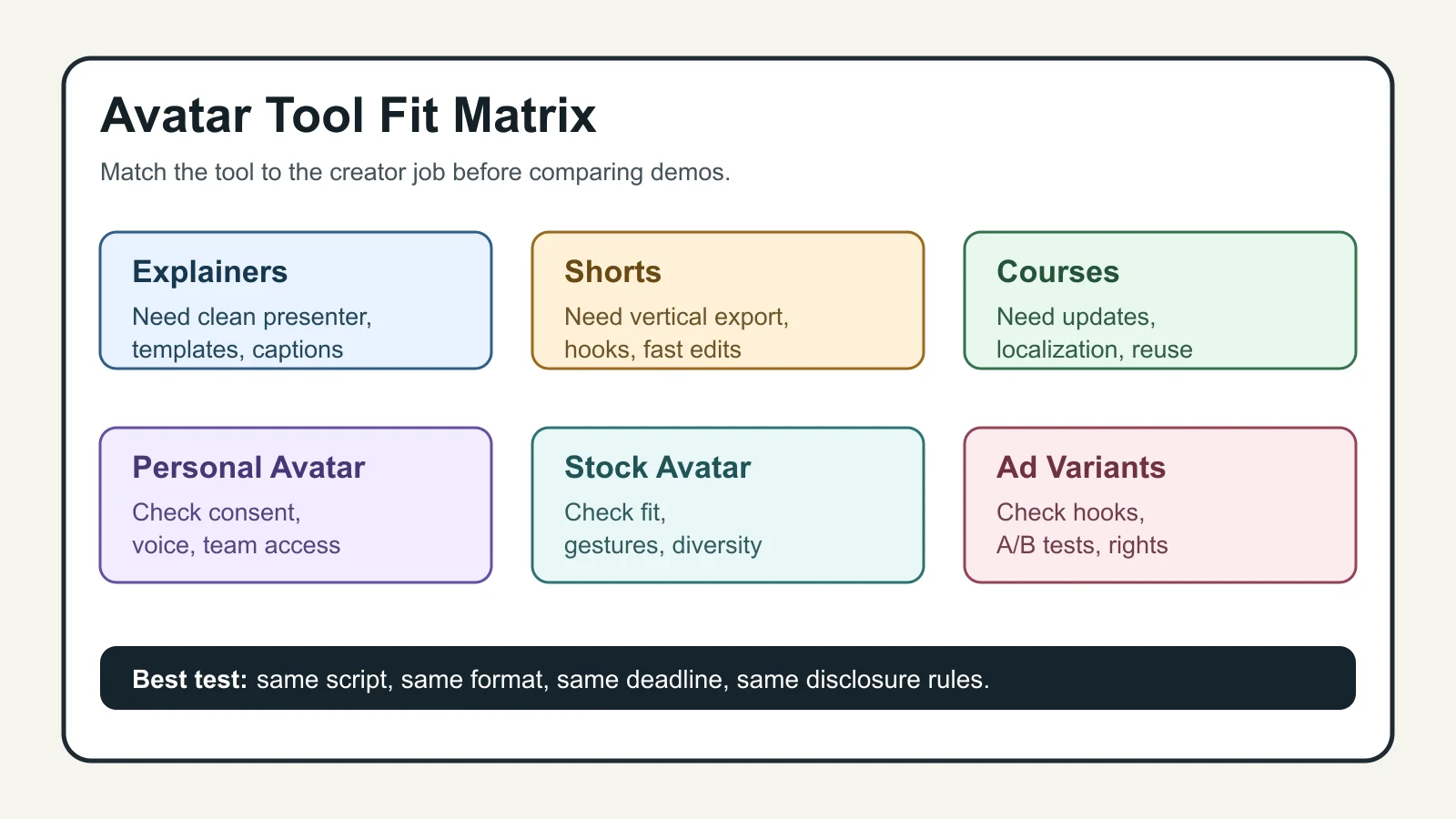
Judge the tool by the video you need next, not by the biggest avatar library. A newsletter creator making weekly sponsor reads, a course creator updating lesson intros, and a faceless YouTube channel all need different controls.
For most creator channels, the first split is simple: do you need a realistic presenter, a stylized character, or a digital version of yourself? Realistic presenters work well for explainers and product walkthroughs. Stylized avatars can fit casual social content. Personal avatars can help with consistency, but they require more care around likeness, consent, and audience trust.
Match the Tool to the Job
Use an avatar when it removes a production bottleneck. It is a poor substitute for personality if your audience follows you for your face, reactions, or unscripted point of view.
Talking-head explainers are the cleanest fit. You write a script, pick a presenter, add b-roll or screen captures, and publish without setting up a camera. For product demos, avatar tools can work if the editor lets you combine the presenter with real footage, screenshots, captions, and brand assets.
Short-form content is trickier. The avatar should not carry the entire video unless the idea is strong. Pair it with jump cuts, captions, examples, or generated b-roll. If your main output is TikTok or Reels, also compare tools built for clipping and repurposing, because the avatar is only one layer of the edit.
Course creators have a different priority: update speed. An avatar can replace a stale intro, explain a policy change, or localize a lesson without re-recording an entire module. That is where repeatable templates matter more than novelty.
What Features Matter More Than Avatar Count
Avatar count is easy to market. Workflow depth is harder to fake.
Look for script pacing controls, pronunciation edits, scene-level revisions, caption styling, background replacement, brand kits, export ratios, and the ability to bring in your own footage. If you cannot revise one sentence without rebuilding the whole video, the tool will feel slow after the first week.
Language support also deserves a real test. Some platforms list large language libraries, but creator videos depend on accent, timing, and caption accuracy. Run a sample script with names, product terms, numbers, and a casual phrase you would actually say on camera.
Where the Main Platforms Fit
Synthesia is usually strongest for structured business-style videos, training content, explainers, and localization-heavy workflows. Its official avatar page describes ready-made avatars, personal avatars, studio avatars, and broad language support, which makes it worth checking when you need a polished presenter format.
VEED is more useful when the avatar needs to sit inside a broader online editor. Its avatar page focuses on typing a script, choosing stock avatars, creating a digital clone, and editing the result with captions, music, brand elements, and supporting video.
HeyGen often enters the shortlist for realistic avatar quality and custom avatar workflows. Creatify is worth a look for performance marketing, UGC-style ads, and product-led avatar clips. For creators, the right answer is rarely "the most realistic avatar." It is the tool that lets you finish the video, revise it, and publish it without rebuilding your whole stack.
Honestly, most roundups skip the boring parts: export limits, consent flows, revision friction, and whether the video still feels honest once an avatar is speaking. That is where your choice usually succeeds or fails.
Rights, Consent, and Disclosure Checks
Never treat likeness as a throwaway setting. If a platform lets you create a personal avatar, confirm the consent step, who can use the avatar, how it can be deleted, and whether team members can access it.
Voice cloning needs the same caution. A synthetic presenter with a cloned voice can be efficient, but it can also mislead viewers if the context is unclear. If the video could make someone believe a real person recorded a new statement, add disclosure in plain language.
YouTube creators should be especially careful with synthetic voice and likeness use. For a deeper platform-specific check, read our guide to check YouTube voice cloning disclosure before publishing avatar-led videos at scale.
Build a Practical Avatar Workflow
Keep the workflow small at first. Pick one repeatable video type, such as weekly news summaries, product explainers, sponsor reads, or lesson updates. Then create a script template, visual template, thumbnail process, and publishing checklist around that one use case.
Writing still matters. A stiff script makes even a good avatar feel fake. Use tools that help you draft stronger creator scripts, then cut anything you would not say out loud.
After the avatar render, treat the video like a real edit. Add captions, b-roll, screenshots, cuts, and a thumbnail. Our guides can help you test thumbnails with AI, tighten YouTube titles with AI, and write social captions without sounding generic.
How Avatar Tools Fit With the Rest of Your Stack
An avatar tool should not replace your whole production system. It should plug into it.
If your channel relies on Shorts, compare the avatar workflow with a short-form AI video stack, an AI clip generator for TikTok, and tools that turn a podcast into Reels. If your channel is faceless, plan the avatar alongside b-roll, voice, stock footage, and editing templates using our guide to faceless YouTube videos.
Audio can make or break the result. Compare AI voice changers, AI dubbing tools for YouTube, and an AI podcast clip generator if the avatar will appear across languages or formats. Add music only after you check music rights before adding a soundtrack.
Design tools matter too. Some creators will pair avatars with Canva or Adobe Express templates, so it is worth checking how to choose between Canva AI and Adobe Express. If you are mixing avatars with generated scenes, compare Runway and Pika workflows before committing to one visual style.
Repurposing is where avatar videos can pay off. Map a solo repurposing workflow, learn how to repurpose avatar clips for Instagram, and use a creator content calendar so the avatar does not become another random tool you forget to use.
Course creators should also connect avatar scripts to lesson planning. A tool that can turn course ideas into lesson outlines can feed cleaner scripts into the avatar workflow. For existing long videos, compare Opus Clip alternatives before assuming the avatar tool should handle every repurposing job.
Quick Checklist
- Choose one repeatable video type before comparing tools.
- Test the same 30-second script in every finalist.
- Check lip sync, pacing, pronunciation, captions, and export ratios.
- Confirm plan limits, watermark rules, commercial use terms, and custom avatar access.
- Review consent, deletion, and team access rules for personal avatars and cloned voices.
- Add clear disclosure when synthetic likeness or voice could confuse viewers.
- Measure total production time, not just render time.
Frequently Asked Questions
what is the best ai avatar video tool for creators?
The best choice depends on your format. Use Synthesia-style tools for polished explainers and localization, VEED-style editors when you need avatar plus editing tools, and performance-focused tools when you are making ad or UGC-style variants.
can i use ai avatars for youtube videos?
Yes, but the video still needs original value, clear context, and honest presentation. Avoid using avatars to imply a real person recorded something they did not record, especially with cloned voices or personal likenesses.
are ai avatar videos good for short form content?
They can work for hooks, explainers, quick product notes, and translated clips. They usually perform better when paired with captions, b-roll, examples, and tight editing instead of a single static talking head.
do ai avatar tools let me create a digital clone?
Many platforms offer personal or custom avatars, but the setup, consent process, quality, and plan access vary. Check whether you can delete the avatar, who can use it, and whether voice cloning is included.
should creators disclose ai avatar videos?
Disclose when the synthetic presenter, voice, or likeness could reasonably affect viewer trust. Plain wording in the video description, captions, or on-screen context is better than hiding the fact after the click.
Used well, avatar software is not a shortcut around creative judgment. It is a production layer. Pick the tool that helps you publish clearer videos faster, then keep testing whether viewers actually understand and trust the result.
Official sources: Synthesia AI avatars · VEED AI avatar generator. Check current program pages before applying.