Audio Tools
The Best AI Tool Stack for Podcast Creators
Compare the best ai tools for podcast creators by workflow: recording, cleanup, editing, clips, show notes, and disclosure checks.
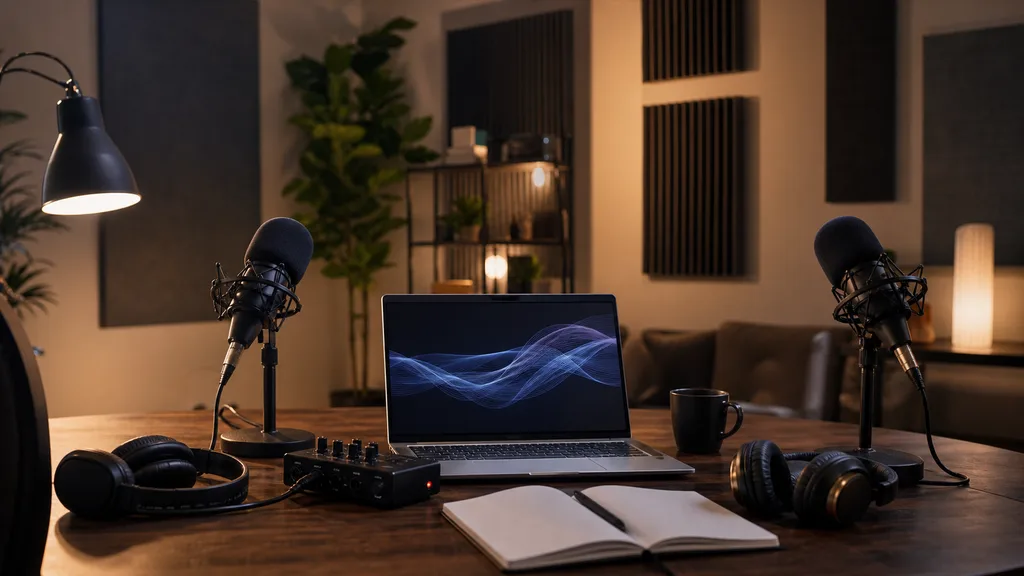
Searching for the best ai tools for podcast creators gets messy fast because podcasting is not one job. You need recording, cleanup, editing, show notes, clips, captions, scheduling, and sometimes AI voice or translation support.
Start with the workflow, not the logo. A solo interview show, a video podcast, a narrative audio series, and a YouTube-first creator all need different stacks.
| What you see | Likely cause | First move |
|---|---|---|
| Episodes sound uneven after export | Room noise, level jumps, or weak mic technique | Try cleanup before buying a full editor |
| Editing takes longer than recording | Manual cuts, filler words, and transcript cleanup | Use text-based editing for the first pass |
| Short clips miss the real point | AI is chasing viral moments without context | Give the clip tool topic notes and review every hook |
| Show notes sound generic | The tool only sees a transcript, not your positioning | Add audience, episode promise, and preferred format |
| AI voice feels risky | Rights, likeness, and disclosure rules are unclear | Use voice tools only after a rights and platform check |
Best AI Tools for Podcast Creators: Start With the Job
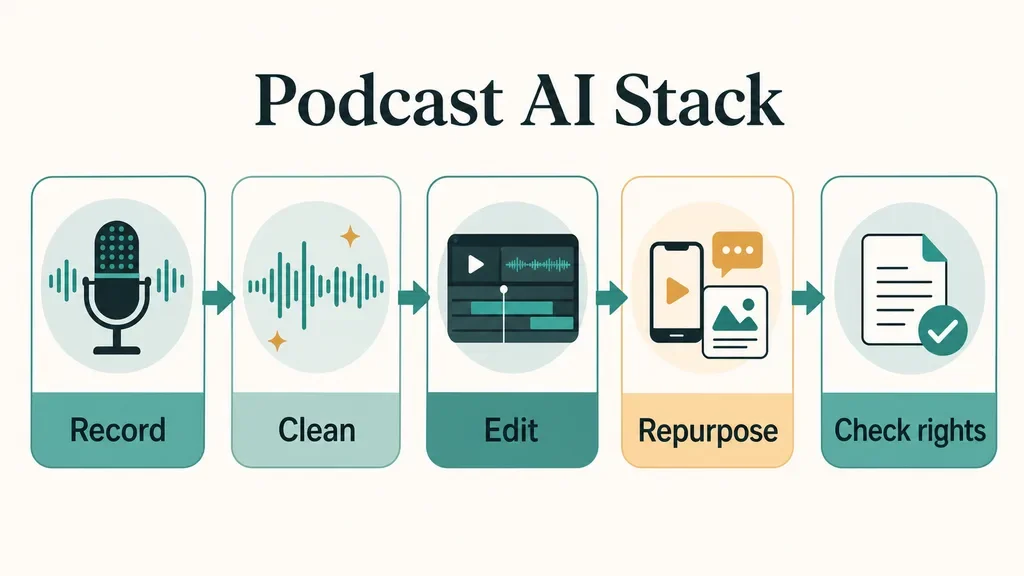
A good podcast stack usually has one primary editor and a few small helpers around it. Avoid building a chain of six tools before you know where the bottleneck really is.
For most creators, the first paid tool should fix the step that happens every episode. If recording quality is the pain, start with recording and audio cleanup. If promotion is the pain, start with clipping, captions, and social posts.
Recording and Remote Interview Tools
Remote interview shows should prioritize stable local recording, separate tracks, backup options, and easy guest access. AI features matter, but they cannot rescue a bad recording every week.
Riverside fits creators who record video podcasts, interviews, or live-style shows and want recording, text-based editing, transcriptions, Magic Clips, show notes, and publishing in one place. It is especially useful when a single recording needs to become a podcast episode, YouTube upload, and several short clips.
Adobe Podcast is narrower but handy when you need quick voice cleanup in the browser. Enhance Speech is best treated as a repair or polish step, not a replacement for mic placement, room treatment, and sane recording levels.
If your show already has strong recording discipline, a lighter setup may be enough. Spend on recording software only when it removes friction from every guest session.
Editing Tools for Audio, Video, and Transcript Cleanup
Text-based editing is the feature that changes the day-to-day work for many podcasters. Cutting words from a transcript is faster than hunting through a waveform, especially for interviews with filler, tangents, and repeated starts.
Descript is a strong fit when you want podcast editing, video editing, transcription, filler-word cleanup, screen recording, and AI-assisted post-production in one editor. The tradeoff is that you still need an editorial ear. A transcript cut can be clean on screen and awkward in the listener's headphones.
Use your editor for the rough pass, then listen through the final timeline before export. Honestly, this is where creators usually get it wrong. AI makes cutting faster, but it does not know which pause carried emotion or which aside made the interview feel human.
Clip Generators and Repurposing Tools
Podcast clips work when they preserve a complete thought. A tool that grabs a punchy sentence but drops the setup can make the host look shallow or the guest look out of context.
OpusClip, Riverside Magic Clips, and similar clipping tools can speed up the first pass by finding moments, reframing for vertical video, adding captions, and drafting social posts. Treat those outputs as candidates. The creator still owns the hook, the caption, and the decision to publish.
For short-form planning, compare the focused workflow in AI Podcast Clip Generator: Turn Long Episodes Into Shorts Without Losing Context with How to Turn a Podcast Into Reels With an AI Generator. If TikTok is the main channel, use How TikTok Creators Should Choose an AI Clip Generator before locking in a clipping tool.
Solo creators should also build one repeatable process for titles, captions, and publish timing. The practical version is mapped in A Solo Creator Workflow for Repurposing Content With AI and AI Instagram Repurposing Tools Creators Actually Need.
Writing, Show Notes, and Discovery Assets
Show notes, titles, descriptions, timestamps, newsletters, and social captions are not filler. They are how a listener decides whether an episode is worth an hour.
Use AI writing tools to turn the transcript into structured options: a short episode summary, a long description, timestamps, quote pulls, newsletter intro, and five title angles. Then rewrite the first paragraph yourself so it sounds like the show.
For pre-production, Best AI Scriptwriting Tools for Creators Who Need Better Drafts can help with outlines and interview prep. For publishing, pair Better YouTube Titles With AI: A Creator Tool Guide with AI Social Media Caption Tools: How Creators Should Choose Without Sounding Generic.
Course creators can go further by turning strong interviews into lessons or lead magnets. Use How to Pick AI Course Outline Generators That Build Better Lessons when the episode is part of a larger educational funnel.
Voice, Music, Dubbing, and Rights Checks
Voice tools can be useful for scratch narration, language versions, character segments, and accessibility work. They also carry more risk than a title generator.
Do not clone a voice, imitate a real person, or add synthetic narration to a realistic video without checking consent, platform rules, and disclosure requirements. YouTube says creators must disclose AI use when it meaningfully alters or generates realistic content that viewers could mistake as real.
For voice effects and synthetic voice choices, read AI Voice Changers for Creators: A Workflow-First Guide. If you publish on YouTube in multiple languages, compare dubbing options in Best AI Dubbing Tools for YouTube: Voice Quality, Captions, Rights, and Workflow Fit.
Music deserves the same caution. AI-generated intro music or background beds should come with clear commercial-use terms, so keep Choosing a Copyright-Safe AI Music Generator for Creator Workflows near your production checklist.
A Practical Stack by Creator Type
Choose the smallest stack that covers your repeat work. More tools usually mean more exports, more subscriptions, and more places for mistakes to hide.
Solo interview podcaster
- Primary tool: Riverside or Descript, depending on whether recording or editing is the bigger pain.
- Helper: Adobe Podcast Enhance Speech for occasional cleanup.
- Promotion: A clip generator plus a caption tool after the episode is approved.
Video-first podcast creator
- Primary tool: A recording and editing platform that handles separate tracks, captions, and vertical clips.
- Helper: Thumbnail and title testing for YouTube packaging.
- Promotion: Short-form clip workflow for Reels, TikTok, Shorts, and LinkedIn.
Narrative or educational show
- Primary tool: A precise editor with transcript search, multitrack control, and easy revision history.
- Helper: AI writing for outlines, timestamps, lesson notes, and newsletter summaries.
- Promotion: Fewer clips, stronger hooks, and more context per post.
Where Video and Design Tools Fit
Many podcasters now publish the same episode as audio, YouTube video, Shorts, newsletter content, and social graphics. That does not mean every podcast needs a full AI video stack.
If your show uses video backgrounds, start with The Creator's Guide to AI Video Background Removers. For creator avatars, use How Creators Should Choose AI Avatar Video Tools, especially if you are creating segments that could be mistaken for a real presenter.
Short-form creators can compare The Best AI Video Generator Stack for Short-Form Creators. Faceless channels should read Faceless YouTube Videos Need the Right AI Tool Stack before turning audio episodes into fully synthetic videos.
Design tools matter at the packaging stage. Use Canva AI or Adobe Express: Which Creator Workflow Wins? for episode cards and audiograms, then check How to Choose AI Thumbnail AB Testing Tools That Improve Clicks when YouTube is a serious channel.
If you add AI-generated b-roll, compare Runway vs Pika for Creators: Which AI Video Workflow Fits Your Content?. For clipping alternatives, keep Opus Clip Alternatives for Creators: How to Pick the Right AI Clipping Workflow in the evaluation set.
How to Test a Podcast AI Tool Before Paying
Run the same 15-minute episode segment through every shortlisted tool. Use a real segment with cross-talk, a guest mistake, a good quote, and a section you would probably cut.
- Check transcript accuracy on names, jargon, and brand terms.
- Cut three filler sections and listen for rough joins.
- Create one vertical clip and judge whether the context survives.
- Generate show notes and rewrite the first paragraph.
- Export the final file and confirm quality, watermarking, captions, and format controls.
- Read plan limits for credits, hours, seats, storage, and commercial use.
Pay attention to the boring parts: export speed, file organization, guest permissions, captions, and how easy it is to fix an AI mistake. Those details decide whether the tool still feels useful after episode ten.
Quick Checklist
- Pick the workflow bottleneck before choosing a tool.
- Test each platform with the same real episode segment.
- Use text-based editing for rough cuts, then listen before export.
- Review every AI-generated clip for context, accuracy, and tone.
- Rewrite AI show notes so they sound like your show.
- Check plan limits, watermarking, export quality, and commercial-use terms.
- Review voice, music, likeness, and platform disclosure rules before publishing.
Frequently Asked Questions
what are the best ai tools for podcasters?
The best tools depend on the job. Descript is strong for transcript-based editing, Riverside is strong for recording and repurposing, Adobe Podcast is useful for quick speech cleanup, and clipping tools such as OpusClip help turn long episodes into short videos.
can ai edit a podcast for me?
AI can create a rough edit, remove filler words, clean audio, find clips, draft show notes, and generate captions. You should still review the final episode because timing, tone, context, and factual accuracy need human judgment.
what ai tool makes podcast clips?
Tools such as Riverside Magic Clips and OpusClip can find short moments, reframe video, add captions, and create social-ready clips. The best result still comes from reviewing the hook and making sure the clip does not distort the conversation.
is ai audio cleanup enough for a podcast?
AI cleanup helps, but it is not a substitute for a decent microphone, quiet room, correct gain, and separate tracks. Treat cleanup as polish or repair, not the foundation of the recording.
do podcast creators need to disclose ai voices?
Disclosure depends on the platform and use case. If AI creates or meaningfully alters realistic audio or video that viewers could mistake as real, check the platform's rules before publishing and disclose when required.
Bottom Line
The best AI podcast stack is the one that removes the most repeated work without taking editorial control away from you. Choose one core editor, add only the helpers that solve weekly problems, and keep the final listen, rights check, and publish decision in human hands.
Official sources: Descript Pricing · Disclosing use of GenAI content. Check current program pages before applying.